



Price: $1,499.00 $1,399.00
(as of 2026-10-15 21:40 GMT+0000 – Details)

Product Positioning and Portability
The 2026 MacBook Air 15‑inch is marketed as a thin‑and‑light laptop aimed at college students and professionals who need portability without sacrificing performance. The description highlights the new M5 chip, which integrates a faster CPU, a next‑generation GPU with Neural Accelerators, and a powerful Neural Engine to deliver AI‑ready compute in a chassis that weighs 3.32 pounds and measures 0.45 inches thick. Apple claims up to 18 hours of battery life, positioning the device as an all‑day workstation for lectures, research, and creative projects. The Starlight finish adds a distinctive aesthetic option.
Performance Architecture
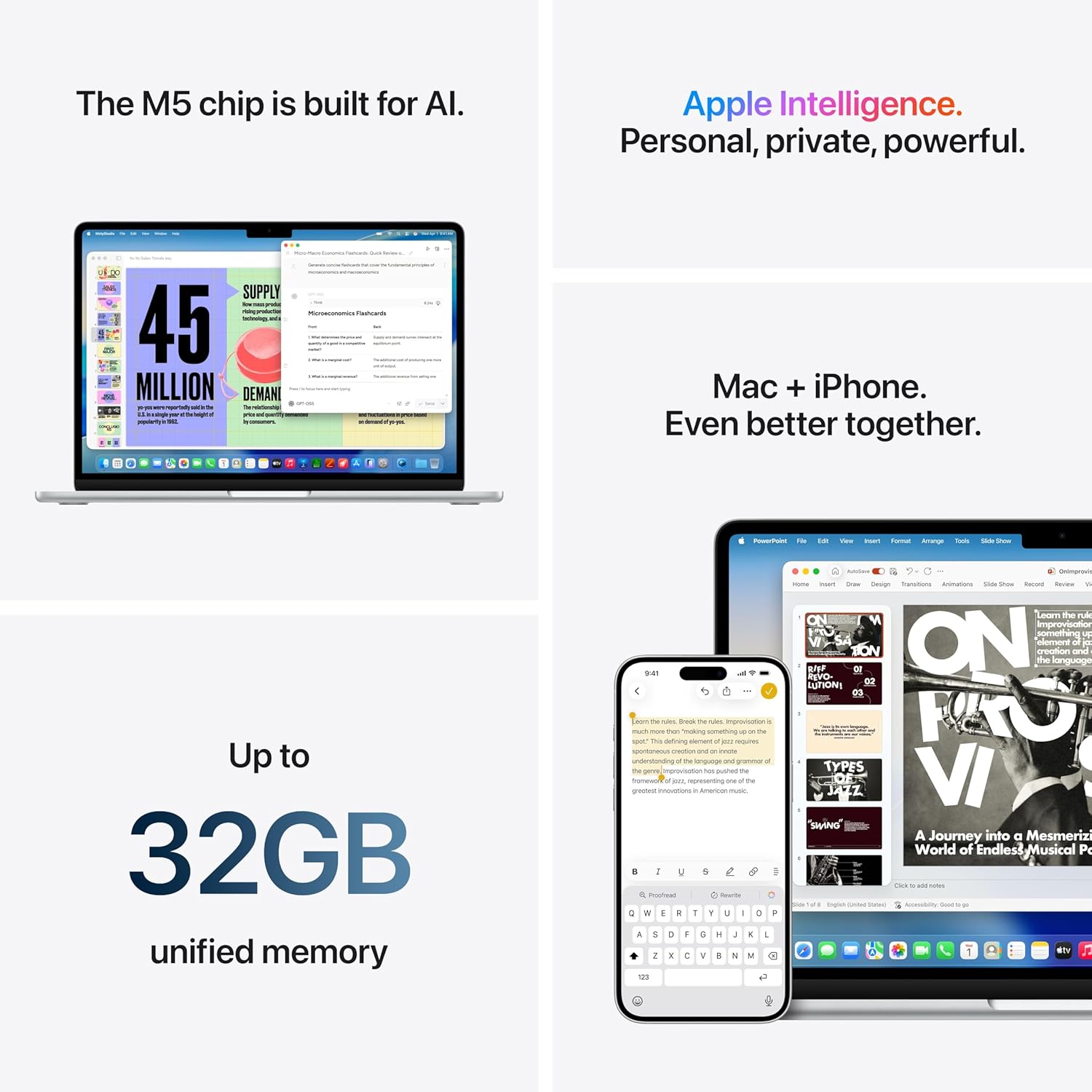
The M5 chip’s unified memory architecture provides 16 GB of high‑bandwidth RAM that is shared between the CPU, GPU, and Neural Engine, eliminating the need for separate memory pools and reducing latency during data‑intensive tasks. According to the product description, the faster CPU and the GPU’s Neural Accelerators enable smooth multitasking across demanding applications such as video editing, 3D rendering, and large‑scale data analysis. The Neural Engine is positioned to accelerate on‑device machine‑learning workloads, allowing developers and researchers to run inference locally without relying on cloud resources. This integration aims to keep creative workflows responsive even when multiple heavy apps are open simultaneously.
Apple Intelligence and Privacy
Apple Intelligence is described as a suite of on‑device generative tools that assist with writing, summarizing, and visual expression across the operating system. The feature set includes text rewriting, image generation, and contextual suggestions that operate locally, which the description emphasizes as a privacy advantage because no user data leaves the device—not even Apple’s servers. In practice, this means students can draft essays or create presentation assets without uploading content to external services, and professionals can refine emails or code snippets with confidence that proprietary information remains on the Mac. The effectiveness of these tools will depend on the complexity of the request and the maturity of the underlying models.
Battery Life Considerations
Battery life is quoted at up to 18 hours, a figure that reflects typical mixed‑use scenarios such as web browsing, video playback, and document editing. The asterisk in the specification indicates that actual runtime will vary with screen brightness, workload intensity, and background activity such as syncing with iCloud or running AI inference tasks. Because the MacBook Air relies on a single lithium‑polymer cell, heavy GPU or Neural Engine utilization—common in machine‑learning training or high‑frame‑rate gaming—will reduce the achievable duration well below the advertised maximum. Users planning extended off‑grid sessions should consider carrying the MagSafe charger or a compatible USB‑C power bank.
Display Quality and Limitations
The 15.3‑inch Liquid Retina panel supports a billion colors and delivers a peak brightness suitable for indoor and moderately lit outdoor environments. The description notes rich contrast and super‑crisp text, which benefits tasks such as reading dense PDFs, editing photos, and watching HDR video. With a 16:10 aspect ratio, the screen provides extra vertical space compared to traditional 16:9 panels, reducing scrolling in code editors and document viewers. However, the glossy finish can produce reflections in bright settings, and the lack of a ProMotion variable‑refresh‑rate feature means the display remains at a fixed 60 Hz, which may be noticeable during fast‑motion content.
Camera, Audio, and Video‑Conference Features
A 12 MP Center Stage camera automatically pans and zooms to keep the user centered during video calls, and the Desk View mode offers a top‑down perspective of the keyboard area for sharing sketches or documents. The three‑mic array is designed to capture clear voice while suppressing background noise, and the six‑speaker system supports Spatial Audio with Dolby Atmos for immersive playback. These audio‑visual upgrades are valuable for remote lectures, virtual collaboration, and media consumption, though the camera’s fixed aperture and lack of a physical privacy shutter mean users must rely on software indicators to know when the lens is active.
Connectivity, macOS, and Ecosystem Integration
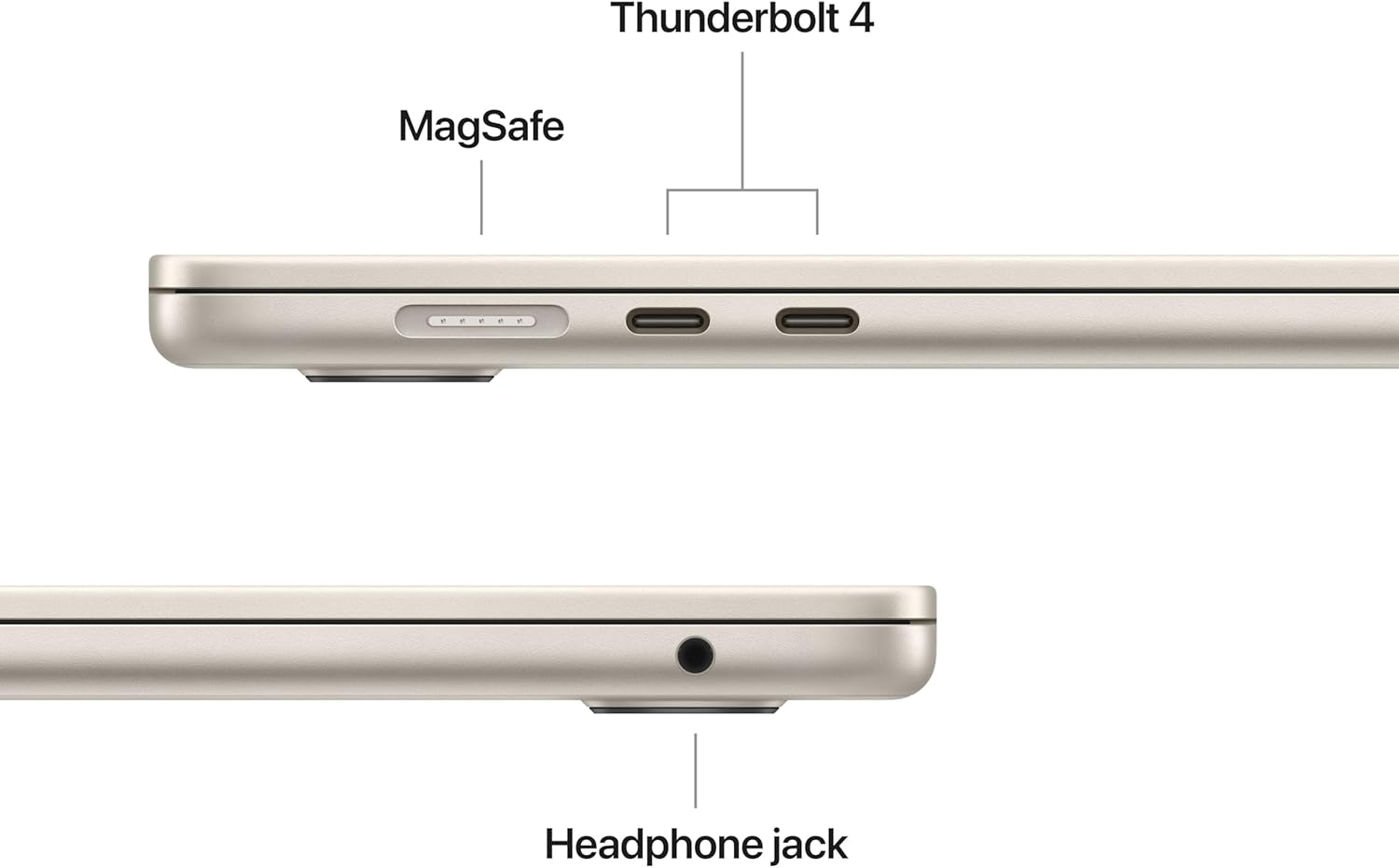
Connectivity includes two Thunderbolt 4 ports, a MagSafe 3 charging connector, a 3.5 mm headphone jack, and the Apple N1 wireless chip delivering Wi‑Fi 7 and Bluetooth 6. The two Thunderbolt ports support up to two external displays at 6K resolution each, enabling a multi‑monitor workstation without a dock, but the limited port count may require adapters for legacy USB‑A devices, HDMI, or SD cards. macOS provides native virus protection, automatic security updates, and optimized performance for built‑in apps such as FaceTime and Messages. Continuity features let users control an iPhone from the Mac, hand off tasks, and share clipboard content, reinforcing a seamless cross‑device workflow for those already invested in Apple’s ecosystem.